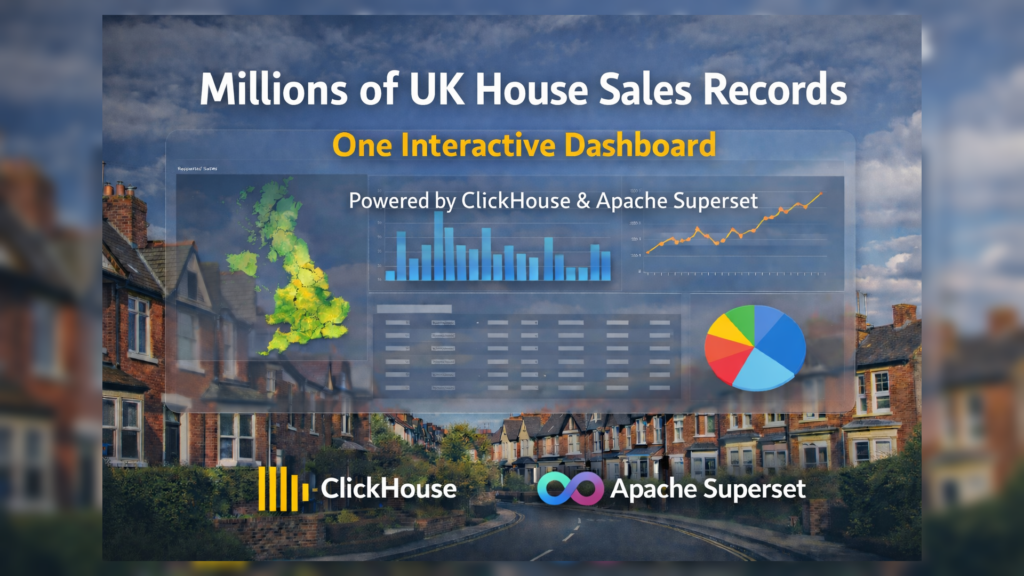
Analyzing large real estate datasets requires tools built for high-performance analytics. The UK Land Registry dataset contains millions of property transactions, making it a great use case for modern analytical databases.
In this blog, we will build an interactive Clickhouse Apache Superset dashboard to explore UK house sales data using a modern analytics stack.
- ClickHouse – High-performance OLAP database
- Apache Superset – Data exploration and visualization platform
- Docker – Containerized deployment
This stack enables fast analytics over millions of records with minimal infrastructure.
Step-by-Step Installation Guide
1. prerequisites
Before starting, ensure the following tools are installed on your system.
Docker
Docker is used to containerize both Apache Superset and ClickHouse.
Install Docker:
sudo apt updatesudo apt install docker.io -ysudo apt install docker-compose-plugin -yVerify installation:
docker --versiondocker compose versionClickHouse
ClickHouse is used as the analytical database for storing and querying the UK housing dataset.
In this setup, ClickHouse runs as a Docker container, so no manual installation is required.
Example ClickHouse container configuration:
clickhouse: image: clickhouse/clickhouse-server:latest container_name: clickhouse ports: - "8124:8123" - "9001:9000" networks: - superset-clickhouse-netStart ClickHouse:
docker compose up -d clickhouse2. Create Project Directory
The entire setup is containerized using docker.
- mkdir superset-clickhouse
- cd superset-clickhouse
superset-clickhouse
├── docker-compose.yml
├── Dockerfile
Also ensure,
Superset and ClickHouse containers must share the same network.
docker network create superset-clickhouse-net3. Docker-compose.yml (Superset Configuration)
services:
 superset:
   build: .
   container_name: superset
   restart: always
   ports:
     - "8088:8088"

   environment:
     SUPERSET_SECRET_KEY: supersecretkey

   volumes:
     - superset_home:/app/superset_home

   networks:
     - superset-clickhouse-net

   command: >
     bash -c "
     superset db upgrade &&
     superset fab create-admin
       --username admin
       --firstname Superset
       --lastname Admin
       --email admin@superset.com
       --password admin || true &&
     superset init &&
     superset run -h 0.0.0.0 -p 8088
     "

volumes:
 superset_home:

networks:
 superset-clickhouse-net:
   external: true
4. Dockerfile
Superset does not include ClickHouse drivers by default, so we need to install them during the image build process.
FROM apache/superset:latest

USER root

RUN /app/.venv/bin/python -m ensurepip && \
 /app/.venv/bin/python -m pip install --no-cache-dir \
 clickhouse-connect==0.7.19 \
 clickhouse-sqlalchemy==0.2.5 \
 sqlalchemy==1.4.49

USER superset
This installs the ClickHouse driver inside:
/app/.venv, which is the Python environment used by Superset.
5. Verify Driver Installation
Enter the container:
docker exec -it superset bash, and run,
/app/.venv/bin/python -c "import clickhouse_connect; print('Driver OK')"Expected output:
Driver OKExit container
6. Start the Environment
Build and start the containers:
docker compose build --no-cachedocker compose up -dAccess Superset: ( Wait for atleast 3-5 secs )
http://localhost:8088Login credentials:
admin / admin7. Connecting Superset to ClickHouse
Navigate to:
Settings → Database Connections → + DatabaseSelect:
ClickHouse Connect
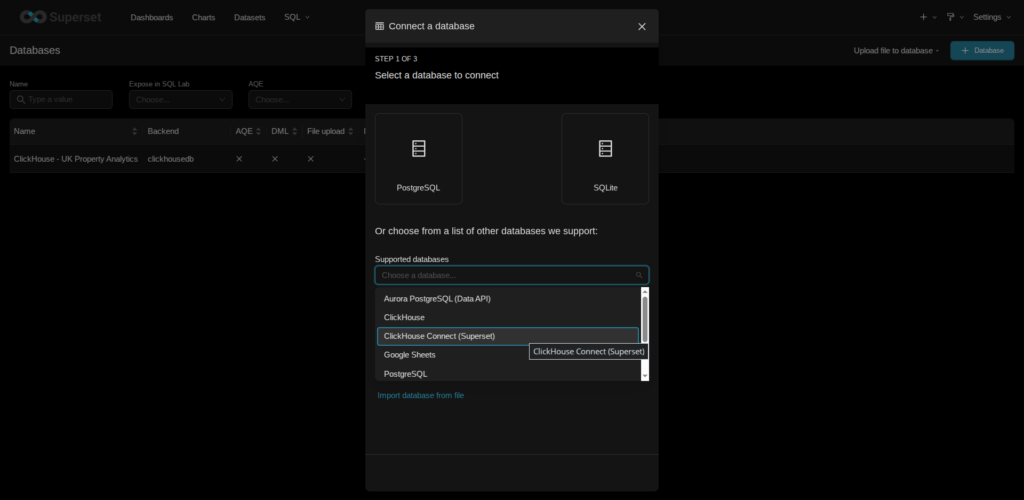
Selecting the ClickHouse Connect (Superset) database connector in Apache Superset to establish a connection with the ClickHouse.
Method 1 (Recommended - Dynamic Form)
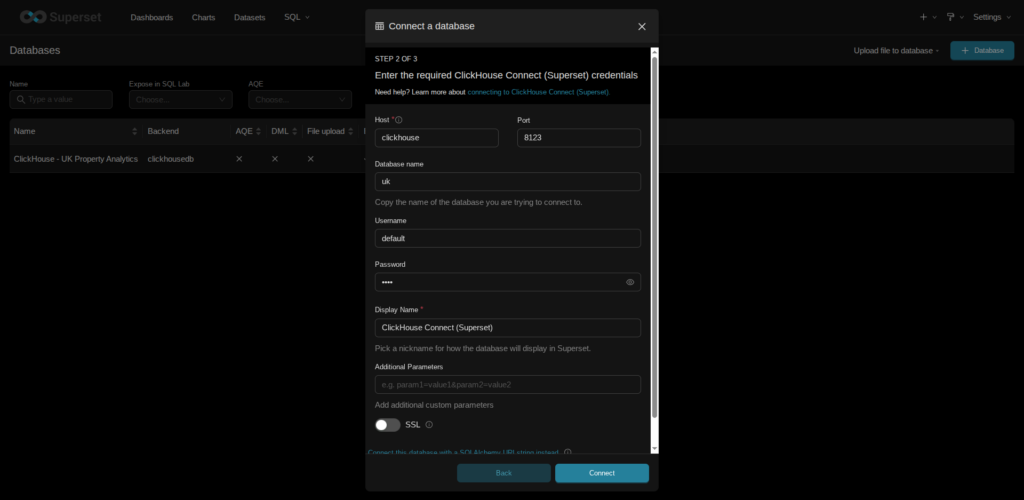
Configuring the ClickHouse connection parameters in Superset.
Fill the connection details: ex
| Field | Value |
|---|---|
| Host | clickhouse ( Container Name) |
| Port | 8123 ( Clickhouse HTTP port inside Docker ) |
| Database | uk |
| Username | default |
| Password | Root |
Click Test Connection → Connect.
Alternative Connection (SQLAlchemy URI)
You can also connect using:
clickhousedb+http://default:Root@clickhouse:8123/ukAfter Connection succeeds, we can start building dashboards.
8. Selecting a Dataset
Navigate to:
Data → Datasets → + Dataset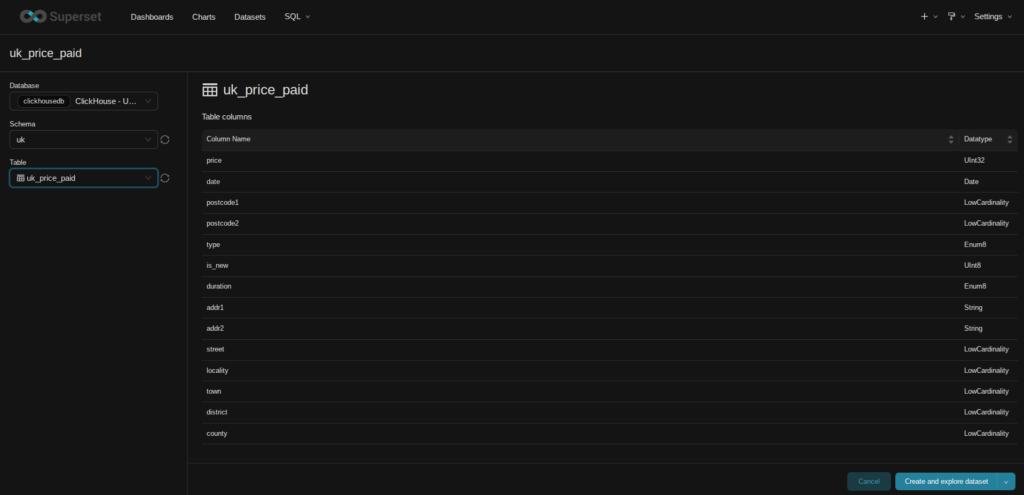
Selecting the required table from the dataset in Apache Superset to explore its schema and available columns.
Select:
Database → ClickHouseSchema → ukTable → price_paidSave the dataset, then start building the dashboard for exploration.
9. Building the Dashboard
Using Superset charts, we can visualize the UK housing dataset through multiple perspectives.
Example visualizations:
- Average Property Price – overall housing price indicator
- Total Transactions – total number of property sales
- New Builds vs Existing Properties – housing supply comparison
- Property Type Distribution – breakdown of housing types
- UK House Price Trend Over Time – long-term price movement
- Top 10 Most Expensive Towns – high-value housing markets
These charts can be combined into an interactive dashboard analyzing millions of UK housing transactions.
Example Dashboard
Below is an example of the UK Property Analytics dashboard built using Apache Superset and ClickHouse.
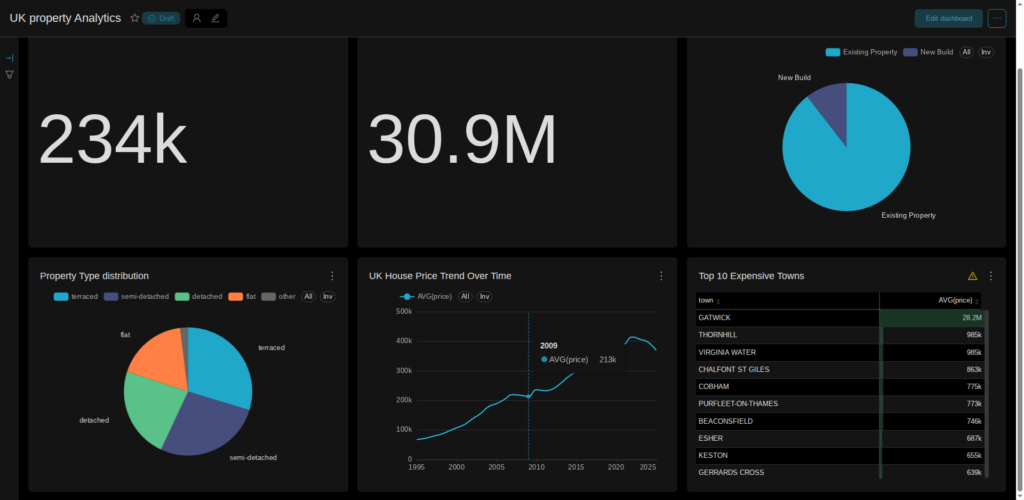
Interactive UK Property Analytics dashboard built using ClickHouse and Apache Superset.
10. Conclusion
In this blog, we built a scalable analytics stack for exploring millions of UK property transactions using ClickHouse and Apache Superset.
By combining ClickHouse’s high-performance analytical engine with Apache Superset’s visualization capabilities, we can explore millions of UK property transactions in seconds.
This lightweight architecture enables:
- Fast analytical queries on large datasets
- Interactive dashboards for data exploration
- Scalable analytics with minimal infrastructure
This approach can easily be extended to other large datasets such as financial data, IoT analytics, or business intelligence workloads.
11. References
Apache Superset Official Documentation – https://superset.apache.org/docs/intro
Superset Installation Guide – https://superset.apache.org/docs/installation/installing-superset
ClickHouse Connect Python Client – https://clickhouse.com/docs/integrations/python
UK Land Registry Price Paid Dataset – https://www.gov.uk/government/statistical-data-sets/price-paid-data-downloads