Introduction
When running ClickHouse, especially in self-managed environments, one of the most critical questions is:
How do we ensure our data is safe during failures?
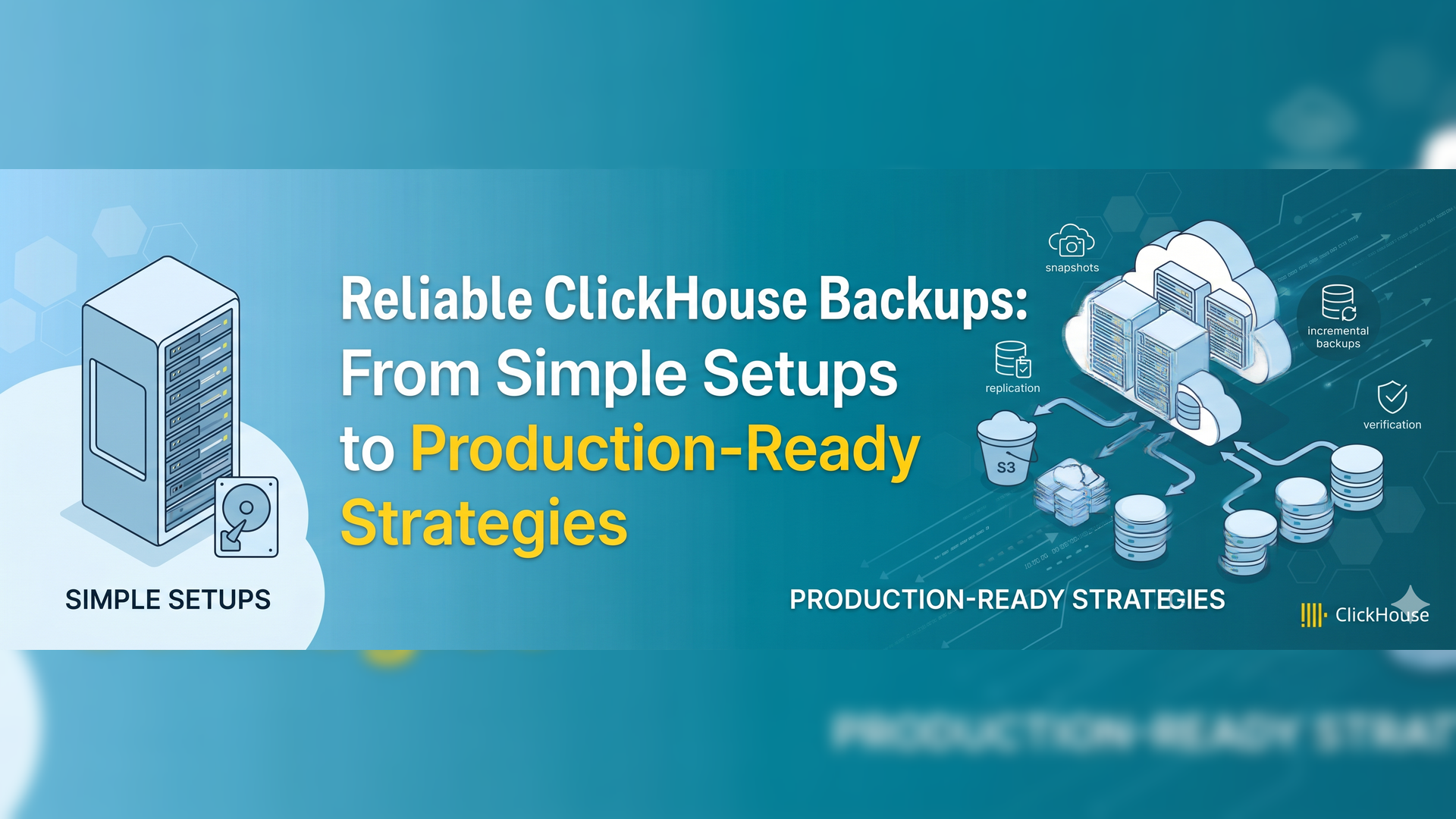
While Docker bind mounts and simple file backups (such as tar) provide a basic level of protection, they are not sufficient for real-world scenarios. Hence, ClickHouse backup strategies are essential for ensuring data safety, especially in self-managed environments.
In this article, we will explore:
- How bind mounts support data persistence.
- The limitations of filesystem-level backups.
- A production-ready approach using clickhouse-Backup.
- A minimal native setup to get started.
1. Understanding Data Persistence with Bind Mounts
A bind mount maps a host directory directly to ClickHouse’s data directory:
./clickhouse_data → /var/lib/clickhouseAdvantages
- Data persists even if containers are removed.
- Easy to access data from the host system.
- Simple and transparent setup.
- No dependency on Docker-managed volumes.
Limitations
However, it also comes with several drawbacks,
- No built-in backup versioning.
- Risk of accidental deletion (
rm -rf). - No consistency guarantees while database is running.
- No support for table-level backups.
2. Using tar for Backups (Filesystem Approach)
A commonly used backup method is:
tar -czf clickhouse_backup_$(date +%F).tar.gz /var/lib/clickhouseAdvantages
- Extremely simple to use.
- No additional tools required.
- Suitable for small setups or learning environments.
Limitations
- Backups may be inconsistent if ClickHouse is running.
- Backs up everything (no table-level control).
- No incremental backups.
- Restore requires manual handling.
- Not suitable for large-scale systems.
3. Why Filesystem Backup is Not Enough
Filesystem backups treat ClickHouse as just a regular folder.
However, this assumption is misleading.
In reality, ClickHouse stores data in structured parts rather than simple files. Because of this, both data and metadata must remain perfectly aligned. Moreover, ongoing writes during backup operations can lead to inconsistent snapshots. As a result, restoring such backups may produce unreliable or even corrupted data.
In contrast, database-aware tools understand how ClickHouse manages storage internally.
Therefore, they ensure that backups are consistent and safe to restore.
Ultimately, relying only on filesystem-level backups is risky, especially in production environments.
4. Introducing clickhouse-backup
ClickHouse-backup is a tool designed specifically for ClickHouse.
It provides:
- Awareness of ClickHouse storage structure.
- Consistent and reliable backups.
- Support for table-level backups.
- Clean restore workflows.
5. Minimal Native Installation (No Docker)
Step 1: Download
wget https://github.com/AlexAkulov/clickhouse-backup/releases/latest/download/clickhouse-backup-linux-amd64.tar.gzStep 2: Extract
tar -xzf clickhouse-backup-linux-amd64.tar.gzStep 3: Move Binary
sudo mv build/linux/amd64/clickhouse-backup /usr/local/bin/sudo chmod +x /usr/local/bin/clickhouse-backupStep 4: Create Configuration
sudo mkdir -p /etc/clickhouse-backup
sudo nano /etc/clickhouse-backup/config.yml
Minimal config:
general:
  remote_storage: none

clickhouse:
  username: default
  password: ""
  host: localhost
  port: 9000
  disk_mapping:
    default: /var/lib/clickhouse
6. Basic Backup and Restore Workflow
Create backup
clickhouse-backup create test_backupList backups
clickhouse-backup listRestore backup
clickhouse-backup restore test_backupComparison With FileSystem Approach
Bind mounts and tar are simple. However, they lack consistency and control.
On the other hand, clickhouse-backup provides reliable features. Therefore, it is better suited for production systems.
7. Key Lessons from Real Experiments
During testing, one important issue surfaced:
Restore may fail if old data directories still exist.
This happens because ClickHouse stores data on disk. Additionally, deleting a table may not remove its directory immediately.
To fix this issue, clean the environment before restoring.
Alternatively, use:
clickhouse-backup restore --rm <backup_name>8. Production Reality: Backups with Clusters
While tools like clickhouse-backup are essential, modern production systems go further by combining backups with cluster management.
In real-world setups, ClickHouse is typically deployed as a cluster with Replication, Sharding and High availability. This ensures minimal downtime, Load distribution, resilience to node failures.
However, clusters are not a replacement for backups.
Consider these scenarios:
- Accidental deletion.
- Data corruption.
- Pipeline errors.
In such cases, replication spreads across all nodes, and data is lost everywhere.
Therefore, backups remain essential.
Role of clickhouse-backup in Production
In production environments, clickhouse-backup plays a critical role in ensuring data reliability. Specifically, it enables efficient and consistent backup operations such as
- Scheduled backups (daily/hourly).
- Incremental backups.
- Remote storage integration (S3, etc.)
- Disaster recovery workflows.
9. Advanced Approach: Native ClickHouse BACKUP (Cluster-Aware)
Modern versions of ClickHouse provide a built-in backup mechanism that works directly with clusters.
For example:
BACKUP DATABASE default
ON CLUSTER 'cluster-name'
TO S3('https://bucket/.../backup')
SETTINGS structure_only=true;
Advantages
- Native support for clusters (
ON CLUSTER). - Direct integration with object storage (S3).
- No external tools required.
- Better consistency for distributed e
Limitations
- Requires newer ClickHouse versions.
- Needs proper cluster configuration.
- Slightly more complex setup.
Comparison with clickhouse-backup
While clickhouse-backup is widely used and easier to adopt, native backup is becoming the preferred option for cluster-based deployments.
In modern production systems, native backup + cluster setup is often the long-term direction.
Key Takeaway
In production, both replication and backups are mandatory.
- Replication protects against system failures.
- Backups protect against human and logical failures.
Conclusion
Bind mounts and tar backups are useful for learning and small setups. However, they are not sufficient for production environments. Therefore, more reliable tools like clickhouse-backup is required to bridge this gap. In particular, they provide consistent backups, better control, and reliable restore processes.
In simple terms, replication keeps your system running. However, backups ensure your data can be recovered when something goes wrong.
If you are just starting, begin with basic backup methods. This way, you can understand how ClickHouse stores data. On the other hand, for real-world systems move to clickhouse-backup. Additionally, automate backups to reduce manual errors. Finally, test your restore process regularly.
Overall, a strong ClickHouse backup strategy is essential for building reliable and production-ready systems.
References
To better understand ClickHouse backup strategies, you can explore the official
ClickHouse backup documentation available at https://clickhouse.com/docs/operations/backup/overview, which explains native backup features and cluster support.
For practical implementation, the clickhouse-backup tool is maintained on GitHub at https://github.com/Altinity/clickhouse-backup, where you can find installation steps and usage examples.
In addition, Altinity provides a detailed guide on backup strategies at https://kb.altinity.com/altinity-kb-setup-and-maintenance/clickhouse-backup/, which covers real-world production scenarios.
You can also read a deeper explanation of backup concepts in the Altinity blog at https://altinity.com/blog/introduction-to-clickhouse-backups-and-clickhouse-backup.