Introduction
When you start working with ClickHouse, one of the first things you need to understand is its data types. Choosing the right data type is not just a technical detail, it directly impacts your query speed, storage efficiency, and overall database performance.
Unlike traditional databases, ClickHouse® is built for analytical workloads and provides several specialized data types optimized for large-scale data processing. Understanding these types can help you build faster and more efficient analytics systems.
This blog walks through all the major ClickHouse data types, with examples, so you can confidently create tables and write queries from day one.
Why Data Types Matter in ClickHouse®
In ClickHouse, data types matter more than in most databases for two reasons:
- Storage efficiency - > ClickHouse stores data in a columnar format. Choosing a smaller data type (eg..,UInt8 instead of Int64) directly reduces disk space and improves compression.
- Query performance - > Smaller, correctly typed columns allow ClickHouse to scan and aggregate data faster, especially at billions of rows.
A poorly chosen data type won’t break your query, but it will silently hurt your performance at scale.
Overview of Data Type Categories
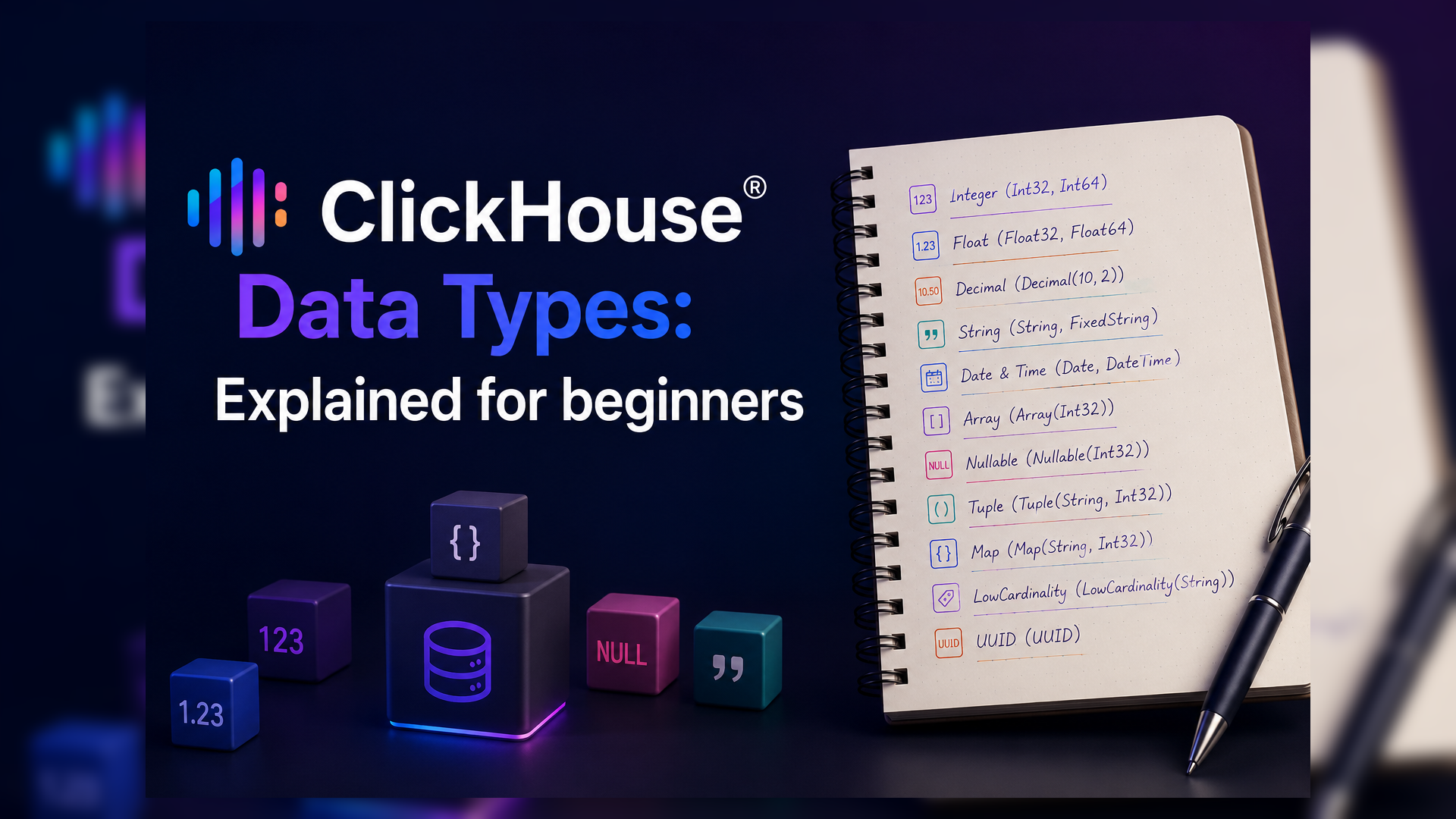
ClickHouse® data types are organized into these main categories:
- Integer types
- Floating-point types
- Decimal types
- String types
- Date and time types
- Boolean type
- UUID type
- Array, Tuple, and Map types
- Nullable types
- Enum types (Enumerated)
- Special types (LowCardinality, JSON)
Let’s go through each one.
1. Integer Types
Integer types store whole numbers without decimals. ClickHouse offers both signed (positive and negative) and unsigned (positive only) variants.
UInt8
When to use which:
- Use
UInt8for small counters, flags, or status codes (0–255). - Use
UInt32for user IDs, product IDs, or any positive integer that won’t exceed 4 billion. - Use
Int64for timestamps in milliseconds or any value that can be negative. - Always prefer the smallest type that safely fits your data ,it saves significant storage at scale.
Example:
CREATE TABLE user_events (
    user_id     UInt32,
    event_type  UInt8,
    score       Int16
) ENGINE = MergeTree()
ORDER BY user_id;
2. Floating-Point Types
Floating-point types store decimal numbers, but with approximate precision.
| Type | Precision | Storage |
|---|---|---|
| Float32 | ~7 decimal digits | 4 bytes |
| Float64 | ~15 decimal digits | 8 bytes |
These are fast for analytics but can introduce tiny rounding errors. For example:
Example:
SELECT 0.1 + 0.2;
-- Result: 0.30000000000000004
When to use: Use Float32 or Float64 for metrics, scores, ratios, or measurements where slight imprecision is acceptable like click-through rates, latency averages, or sensor readings.
When NOT to use: Never use floating-point for financial values like prices or transaction amounts. Use Decimal instead.
3. Decimal Types
Decimal types store exact decimal numbers, making them the right choice for any financial or high-precision data.
| Type | Precision | Range |
|---|---|---|
| Decimal32(s) | Up to 9 digits | Small values |
| Decimal64(s) | Up to 18 digits | Medium values |
| Decimal128(s) | Up to 38 digits | Large values |
Here’ S is the scale - > the number of digits after the decimal point.
Example:
CREATE TABLE transactions (
    order_id    UInt32,
    amount      Decimal64(2),   -- e.g., 1234.56
    tax_rate    Decimal32(4)    -- e.g., 0.1825
) ENGINE = MergeTree()
ORDER BY order_id;
Rule of thumb: If you’re storing money, use Decimal64(2). If you’re storing scientific measurements with many decimal places, use Decimal128.
4. String Types
ClickHouse has two string types:
String – stores variable-length text of any size. There is no VARCHAR(n) limit in ClickHouse. Use this for names, URLs, log messages, JSON blobs, or any free-form text.
FixedString(N) – stores exactly N bytes. If the value is shorter, it is padded with null bytes. Use this only when your data has a guaranteed fixed length, like MD5 hashes (32 chars) or country codes (2 chars). (Stores strings of a fixed length).
Example:
CREATE TABLE products (
    product_id      UInt32,
    product_name    String,
    country_code    FixedString(2)   -- e.g., 'IN', 'US', 'GB'
) ENGINE = MergeTree()
ORDER BY product_id;
Tip: For columns with a small set of repeated string values (like status, country, category), use LowCardinality(String) instead ,it compresses much better and queries run faster.
5. Date and Time Types
ClickHouse provides several date and time types depending on the precision you need.
| Type | Description | Range |
|---|---|---|
| Date | Date only (no time) | 1970-01-01 to 2149-06-06 ( 2025-08-15 ) |
| Date32 | Extended date range | 1900-01-01 to 2299-12-31 |
| DateTime | Date + time (second precision) | Unix time in seconds ( 2025-08-15 10:30:45 ) |
| DateTime64(p) | Date + time with sub-second precision | P = decimal places (0–9) ( 2025-08-15 10:30:45.123 ) |
Example:
CREATE TABLE page_views (
    user_id     UInt32,
    viewed_on   Date,                   -- just the date
    viewed_at   DateTime64(3)           -- millisecond precision
) ENGINE = MergeTree()
ORDER BY viewed_at;
DateTime64(3) gives millisecond precision. DateTime64(6) gives microsecond precision. For most event tracking and analytics use cases, DateTime64(3) is the right choice.
Important: Always store timestamps in UTC in ClickHouse and handle timezone conversion at the application layer or using ClickHouse’s built-in timezone functions.
6. Boolean Type
ClickHouse introduced a native Bool type (available from v22.6+). It stores true or false and is displayed as such in query results.
Example:
CREATE TABLE users (
    user_id     UInt32,
    is_active   Bool,
    is_verified Bool
) ENGINE = MergeTree()
ORDER BY user_id;
Before the native Bool type, developers used UInt8 with values 0 and 1. If you’re working with an older ClickHouse version, UInt8 is still a perfectly valid approach.
7. UUID Type
UUID stores universally unique identifiers in a compact 16-byte format, much more efficient than storing them as plain strings. (550e8400-e29b-41d4-a716-446655440000)
Example:
CREATE TABLE sessions (
    session_id  UUID,
    user_id     UInt32,
    started_at  DateTime
) ENGINE = MergeTree()
ORDER BY session_id;
You can generate UUIDs in ClickHouse using the built-in generateUUIDv4() function:
INSERT INTO sessions VALUES (generateUUIDv4(), 1001, now());8. Array, Tuple, and Map Types
These are ClickHouse’s compound types, they let you store multiple values inside a single column.
Array(T) – stores a list of values of the same type.
Example
-- Column storing multiple tags per product
tags Array(String)
-- Example value: ['electronics', 'mobile', 'sale']
Tuple(T1, T2, …) – stores a fixed set of values of different types, like a row inside a column.
Example:
-- Stores (latitude, longitude) together
coordinates Tuple(Float64, Float64)
Map(K, V) – stores key-value pairs, similar to a dictionary or JSON object.
Example:
-- Stores arbitrary metadata
metadata Map(String, String)
-- Example value: {'source': 'web', 'campaign': 'summer2024'}
These types are powerful for semi-structured data, but use them carefully, they add complexity to queries and can impact performance if overused.
9. Nullable Types
By default, ClickHouse columns do NOT allow NULL values. If you need to allow NULL, you must explicitly wrap the type with Nullable().
Example:
CREATE TABLE orders (
    order_id        UInt32,
    coupon_code     Nullable(String),    -- can be NULL
    discount_pct    Nullable(Float32)    -- can be NULL
) ENGINE = MergeTree()
ORDER BY order_id;
Important caveat: Nullable columns have a performance cost. ClickHouse stores an additional bitmask column alongside the data to track which values are NULL. For large tables, this adds storage overhead and slows down queries.
Best practice: Use Nullable only when necessary because it introduces additional storage overhead.
10. Enum Types
Enum types let you store a fixed set of string labels as compact integers internally, giving you readable values with the performance of small integers.
Example:
CREATE TABLE orders (
    order_id    UInt32,
    status      Enum8('pending'=1, 'processing'=2, 'shipped'=3, 'delivered'=4, 'cancelled'=5)
) ENGINE = MergeTree()
ORDER BY order_id;Enum8supports up to 256 values (stored as Int8)Enum16supports up to 65,536 values (stored as Int16)
Enums are great for status fields, category labels, or any column with a small fixed set of known values. Queries on Enum columns are fast, and the stored values are human-readable.
11. Special Types
LowCardinality(T) – A ClickHouse® Favorite
One of the most useful optimization features in ClickHouse®.
This is not a data type on its own, it’s a modifier that wraps another type. It tells ClickHouse to use dictionary encoding for the column, which works extremely well for columns with few distinct values (low cardinality).
Example:
country     LowCardinality(String),
status      LowCardinality(String),
device_type LowCardinality(String)
If a String column has fewer than ~10,000 distinct values, wrapping it with LowCardinality can dramatically improve both compression and query speed. This is one of the most impactful optimizations a beginner can apply.
JSON type
ClickHouse has an experimental JSON type (v22+) that allows storing and querying semi-structured JSON data with automatic schema inference. For production workloads, it is still advisable to extract known fields into proper typed columns and use Map(String, String) for the rest.
Quick Reference: Which Type to Use?
| Use Case | Recommended Type |
|---|---|
| User IDs, product IDs | UInt32 |
| Age, small counts | UInt8 or UInt16 |
| Prices, financial values | Decimal64(2) |
| Percentages, scores | Float32 |
| Names, URLs, text | String |
| Status, category fields | LowCardinality(String) or Enum8 |
| Fixed-length codes | fixedString(N) |
| Event date only | Date |
| Event timestamp | DateTime64(3) |
| Unique session/request ID | UUID |
| Tags, multi-value fields | Array(String) |
| Key-value metadata | Map(String, String) |
| Optional/missing values | Nullable(T) – Use Sparingly |
| True/false flags | Bool or UInt8 |
Common Beginner Mistakes
- Using
Stringfor everything - > always pick the most specific type that fits. - Using
Nullableeverywhere - > it has a real performance cost; avoid it unless necessary. - Using
Float64for money - > always useDecimalfor financial values. - Ignoring
LowCardinality- > one of the easiest wins for string columns with repeated values. - Oversizing integers - > using
Int64whenUInt8would do wastes storage and hurts compression.
Beyond the Basics: More ClickHouse Data Types
ClickHouse® provides many additional data types for advanced use cases, including IPv4, IPv6, JSON, Dynamic, Nested, Variant, Geo, AggregateFunction, and more. While these types are powerful, they are typically used in specialized scenarios and are beyond the scope of this beginner-friendly guide. Once you’re comfortable with the fundamentals, exploring these advanced types can help you model more complex analytical workloads.
Network Types
IPv4– stores IPv4 addresses compactly as UInt32.IPv6– stores IPv6 addresses as 16-byte fixed strings.
Advanced Compound Types
Variant(T1, T2, ...)– stores values of multiple different types in one column.Nested(Name1 Type1, Name2 Type2, ...)– stores a nested table structure inside a column.
Aggregate Types
AggregateFunction– stores intermediate aggregation states for use with-Stateand-Mergecombinators.SimpleAggregateFunction– a lighter version for simple aggregations.
Special Types
Expression– used internally for lambda expressions.Set– used internally for IN clause subqueries.Interval– represents time intervals likeINTERVAL 1 DAY.Nothing– represents a column with no value, used in edge cases.Dynamic– stores values of any type dynamically (experimental).JSON– stores semi-structured JSON with auto schema inference (experimental).QBit– quantum bit type (experimental)
Geo Types
Point,Ring,Polygon,MultiPolygon– for storing and querying geographical data.
Final Thoughts
ClickHouse’s data type system gives you precise control over how your data is stored and processed. As a beginner, you don’t need to memorize every type immediately, but understanding the key categories (integers, decimals, strings, dates, and the LowCardinality modifier) will take you a long way.
A good rule of thumb: use the smallest type that safely fits your data, avoid Nullable unless necessary, and reach for LowCardinality whenever a string column has repeated values.
Get the data types right, and ClickHouse will reward you with fast queries and efficient storage from day one.
Exploring ClickHouse® for Your Analytics?
At Quantrail Data, we help teams run ClickHouse® reliably for real-time analytics – from Kubernetes deployments and migrations to performance tuning in production.
We see these challenges firsthand while supporting demanding analytics workloads. In one recent engagement, a customer achieved near bare-metal performance with ClickHouse® in production – a story we’ve shared here:
Success Story: Quantrail Bare-Metal ClickHouse® Deployment
If you’re evaluating ClickHouse® or trying to get more out of an existing setup, we’re happy to share practical lessons from real-world deployments.
Contact
Quantrail Data
Reference
Clickhouse Data Types – The examples, type descriptions, ranges, and best practices discussed in this article are based on the official ClickHouse® documentation and SQL Reference Guides available on the ClickHouse® website.